

There’s a $9.99 streaming service you watched once, a $4.99 fitness app you downloaded last year, and perhaps a $12.99 software subscription you haven’t opened in months. Each charge looks small on its own. Together, they can quietly take a meaningful bite out of your monthly spending.
Learning how to find all subscriptions doesn’t have to mean sitting down for a dreaded financial review. You don’t need a spreadsheet, a budgeting app, or an afternoon with your bank statements. You need about 10 minutes, your phone, and a simple starting point.
And if you’ve forgotten about a few subscriptions, you’re certainly not alone.
The Quiet Leak: When Small Charges Become Easy to Miss
Subscriptions are designed to feel effortless. A free trial starts with one tap. A streaming service renews automatically. An app offers a small monthly fee instead of a larger upfront payment.
The convenience is real, but so is the possibility of forgetting what you’ve signed up for. In a 2022 C+R Research survey, 74% of respondents said it was easy to forget recurring subscription charges, while 42% admitted they had stopped using a service but continued paying for it.
That doesn’t mean people are careless. Automatic renewals make it easy for yesterday’s decision to become tomorrow’s recurring expense. The Federal Trade Commission also advises consumers to check trial terms and understand how automatic renewals work.
The answer isn’t to feel bad about past purchases. It’s simply to make a little space to see what’s still leaving your account.
Why You Don’t Need Another Subscription-Tracking App
It’s tempting to download a subscription manager that promises to find and cancel everything for you. Some services can be useful, but they may introduce another account, another interface, or a paid monthly fee.
Depending on the service, you may also need to connect financial accounts or share transaction data. Before doing that, it’s worth understanding its privacy practices, security arrangements, and cost.
For a first sweep, you can use tools you already have: your phone’s subscription settings, your bank app, and your credit card statements.
No extra software. No new monthly fee. Just a short check that puts you in control.
Step 1: Check Your Phone’s Active Subscriptions
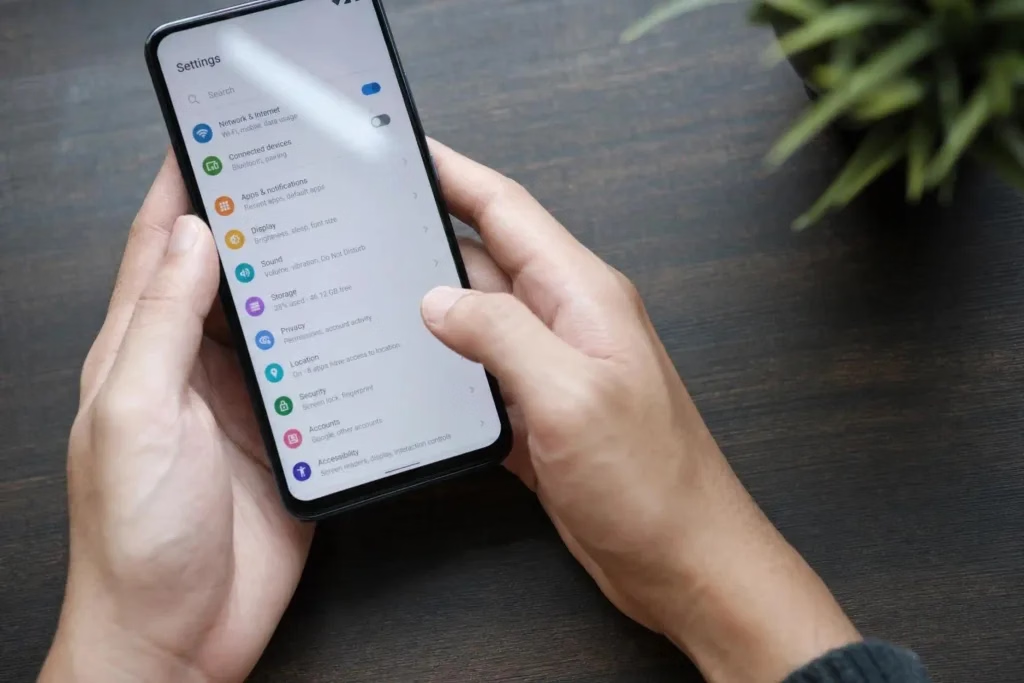
Start with the app store accounts you use. This is often the easiest way to find subscriptions billed through Apple or Google.
On an iPhone:
- Open Settings.
- Tap your name at the top.
- Select Subscriptions.
- Review the active subscriptions and their renewal dates.
- Open anything you no longer use and select Cancel Subscription.
This is the quickest way to learn how to see active subscriptions on iPhone, including some charges you may not remember approving. If you want to know how to find hidden subscriptions on iPhone, check any other Apple Accounts you use and search your email for Apple subscription receipts.
On Android:
- Open the Google Play Store.
- Tap your profile picture.
- Select Payments & subscriptions, then Subscriptions.
- Review the services listed.
- Select an unused subscription and follow the cancellation steps.
Make sure you’re signed in to the Google Account used when you subscribed. You may have more than one.
One important detail: deleting an app from your phone does not cancel its subscription. You must cancel it through the billing provider or the service itself.
Can’t find these options?
Apple and Google occasionally update their menus, so the steps may look slightly different depending on your device and software version. If you don’t see the options listed above, use the Settings search bar on your iPhone or the search feature in Google Play Store. Search for “Subscriptions” to find the relevant settings.
You can also visit Apple’s official subscription management guide or Google’s subscription management guide for the latest instructions.
Step 2: Run the Three-Keyword Bank Sweep
Now open your primary bank app or credit card account. Instead of reading every transaction, use the search feature to look for three keywords:
- Apple
- PayPal
These are useful starting points because subscriptions purchased through app stores or PayPal may appear under those payment names rather than the service you recognise.
Look for repeated charges, especially small monthly or annual payments. If you find a charge you don’t recognise, check its transaction details before assuming it’s a subscription. Search your email for the amount or merchant name if necessary.
This three-keyword sweep won’t find every subscription. Some services bill directly under their own names, while others use different payment processors. If you have a few extra minutes, search for familiar streaming, fitness, software, and membership providers too.
If you find an unwanted charge, cancel with the company or payment provider that manages the subscription. PayPal users can also check Settings → Payments → Automatic Payments to review and cancel merchant payment agreements.
If a company continues charging you after you’ve cancelled, contact the merchant and your card issuer. You can ask your bank or card provider about stopping future recurring payments, but remember that blocking a payment doesn’t necessarily cancel the underlying service agreement. Keep your cancellation confirmation.

The Mindset Pause: What Do You Actually Use?
As you review your subscriptions, don’t turn this into a test of discipline. You don’t have to cancel every service that isn’t essential.
Instead, ask one simple question:
Have I used this for genuine enjoyment or convenience in the past 14 days?
If a streaming service helps you unwind every weekend, it may be worth keeping. If a fitness app hasn’t been opened in months, perhaps it’s time to let it go.
This is also a practical way to understand how to stop buying things you don’t need: pause before another trial or upgrade and consider whether it adds something meaningful to your routine.
And if you’re wondering, “How do I cancel unwanted subscriptions without feeling like I’m missing out?” remember that cancelling isn’t always a permanent goodbye. If you genuinely miss a service, you can usually subscribe again later.
Your 7-Day Experiment: Cancel Just One
You don’t need to clean up every recurring charge today.
Set a 10-minute timer and complete the three-keyword sweep. Find one subscription you no longer use, cancel it, and save the confirmation email or screenshot.
A $10 monthly subscription adds up to $120 a year. A $15 subscription adds up to $180. That’s money you can keep available for something you actually value.
If you don’t finish the sweep in 10 minutes, that’s fine. You’ve still made a start. You can return to the remaining transactions another day.
The Relief Check: Keep What You Love, Release What You Don’t
This exercise isn’t about cutting off every digital comfort or entertainment service. It’s about making sure your recurring payments still reflect the life you want to live today.
Keep the subscriptions that bring genuine enjoyment or make everyday life easier. Let go of the ones that have quietly outlived their purpose.
You don’t need a perfect financial system to feel a little more in control. Sometimes, all it takes is one short search, one thoughtful decision, and one less charge appearing next month.